
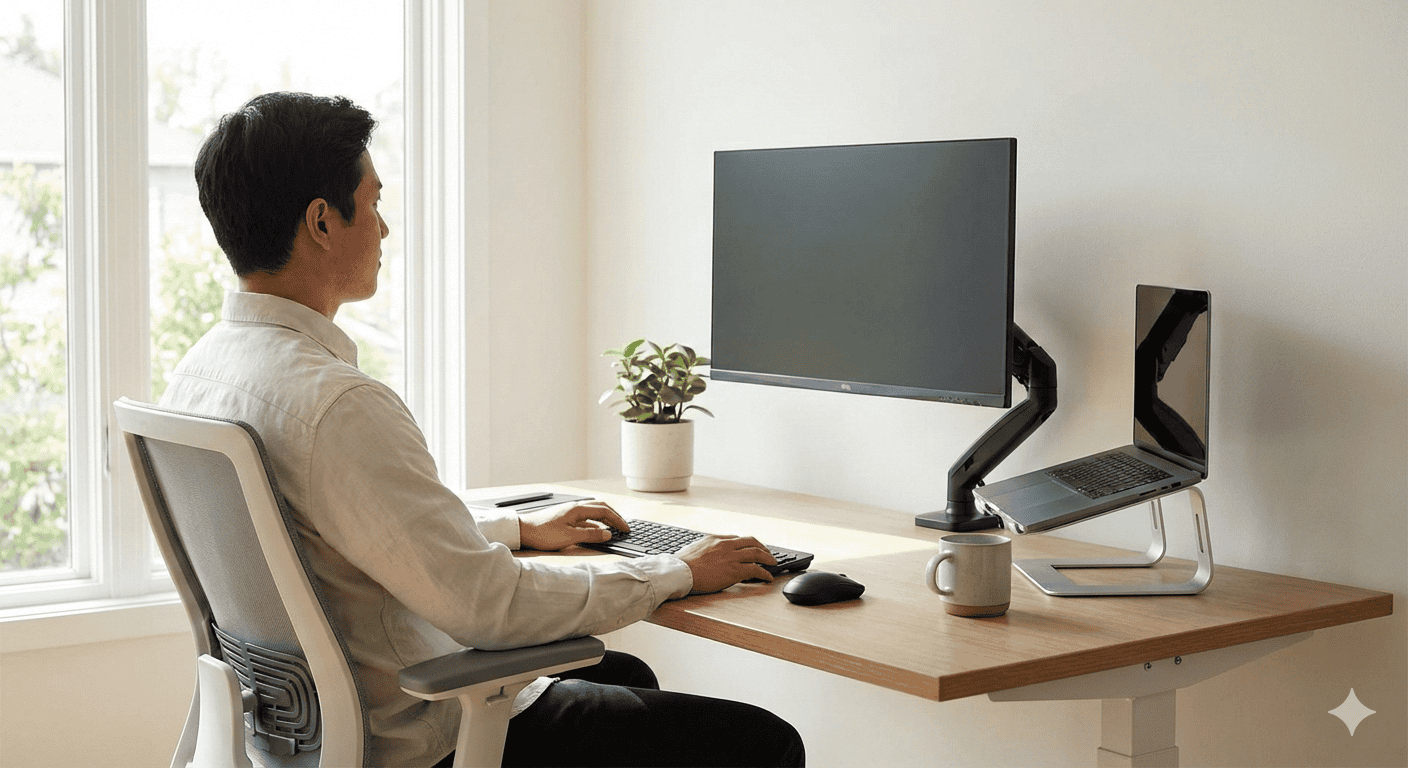
The #1 Cause of Neck Pain at a Desk (And It’s Not Your Chair)
Most people blame their chair when their neck hurts after a long workday. But the real culprit is usually sitting right in front of them — literally.
Your monitor position determines how your neck holds your head for 6-10 hours a day. Get it wrong by even a few inches, and you’re loading your neck muscles with forces up to 3-5x the weight of your head.
The good news: fixing your monitor height takes about 5 minutes and costs nothing. Here’s exactly how to do it.
Why Monitor Height Matters So Much
Your head weighs approximately 10-12 pounds in a neutral position. But as you tilt it forward to look at a screen that’s too low — or crane upward for a screen that’s too high — the effective load on your cervical spine multiplies dramatically.
The research is clear (Hansraj, 2014, Surgical Technology International):
- At 0° neck angle (neutral): ~10-12 lbs of force on your spine
- At 15° forward tilt: ~27 lbs
- At 30° forward tilt: ~40 lbs
- At 45° forward tilt: ~49 lbs
- At 60° forward tilt: ~60 lbs
Most people sit with their monitors too low, resulting in a chronic 30-45° forward head posture. Over 8 hours, that’s your neck muscles fighting against 40-60 lbs of load — every day.
This leads to:
- Tension headaches (muscle fatigue radiating from neck to skull)
- Upper trapezius soreness (the muscle across your upper back)
- Cervicogenic headaches (headaches originating from the cervical spine)
- Long-term: potential disc degeneration and cervical radiculopathy
The Simple Formula for Correct Monitor Height
The ideal monitor height is based on your seated eye height — not your total height.
Step 1: Measure Your Seated Eye Height
- Sit in your normal work position in your chair
- Sit up straight with your back against the backrest, hips at ~90°
- Relax your shoulders
- Have someone measure the distance from the floor to your eyes (or use a tape measure against the wall)
Average seated eye heights:
| Height | Avg Seated Eye Height |
|---|---|
| 5’0″ | 43″ (109 cm) |
| 5’4″ | 46″ (117 cm) |
| 5’8″ | 49″ (124 cm) |
| 5’10” | 51″ (130 cm) |
| 6’0″ | 53″ (135 cm) |
| 6’2″ | 55″ (140 cm) |
| 6’4″ | 57″ (145 cm) |
Step 2: Calculate Your Ideal Monitor Position
The target: The top of your monitor should be at or slightly below your eye level when seated upright.
Most ergonomics guidelines (OSHA, Cornell, and multiple clinical studies) agree on this range:
- Top of screen: 0-2 inches below eye level
- Screen center: approximately 15-20° below eye level
Why slightly below? Your eyes naturally gaze slightly downward at rest. A monitor positioned 15-20° below your line of sight actually requires the least muscular effort to maintain focus — keeping neck muscles relaxed rather than constantly contracted.
Quick Formula
Monitor Top Height = Seated Eye Height − 0 to 2 inches
Example: If your seated eye height is 49″, your monitor top should be between 47″ and 49″ from the floor.
Step 3: Measure and Adjust
- Measure the height from the floor to the top edge of your monitor
- Compare to your calculated target
- Adjust your monitor arm, stand, or riser accordingly
Common Mistakes (And How to Fix Them)
Mistake 1: Monitor is Too Low
Signs: You tilt your chin down to see the screen. Your upper back and neck ache by early afternoon. You find yourself slouching forward.
Fix:
- Use a monitor arm — the most flexible solution, allows precise height adjustment
- Use a monitor riser or stand — inexpensive, raises 3-6 inches
- Stack books under your monitor temporarily to test the height before buying
Mistake 2: Monitor is Too High
Signs: Your chin tilts upward to see the screen. Your lower neck and upper back ache. Your eyes feel dry (because you’re opening them wider).
Fix:
- Lower the monitor arm or remove the riser
- If you’re using a laptop stand + external monitor, you may need a lower stand
Mistake 3: Monitor is Too Far Away
Signs: You lean forward to read text. You squint. Your monitor height might be correct but you’re still tilting your head.
Fix:
- Move the monitor closer — the ideal viewing distance is 20-28 inches (50-70 cm) from your eyes
- Increase font size or display scaling rather than leaning in
Mistake 4: Bifocals / Progressive Lenses
If you wear progressive or bifocal lenses, standard ergonomic guidance doesn’t apply directly. To see through the reading portion of progressive lenses, you look through the lower part of the lens — which means tilting your head back.
Fix: Lower your monitor below the typical recommendation, until you can see the screen clearly without tilting. Many progressive lens wearers find a monitor center position 25-30° below eye level works best.
What to Use to Get the Right Height
Option 1: Monitor Arm (Best Solution)
A monitor arm (also called a monitor mount) gives you full control over height, depth, and tilt. You can adjust it in seconds as your posture, chair height, or workstation changes.
Best monitor arms for neck pain:
- Ergotron LX — The gold standard, silky smooth adjustment, holds 7-25 lbs, fits most desks
- Amazon Basics Adjustable Monitor Arm — Ergotron-made, lower price point
- HUANUO Dual Monitor Arm — Good for dual-screen setups, solid value
Price range: $35-150
Option 2: Monitor Riser / Stand
A simple riser raises your monitor 3-6 inches at a fixed height. Less flexible than an arm, but much cheaper and effective if your monitor is the right distance away.
Best monitor risers:
- VIVO Adjustable Monitor Stand — Three height settings (6″, 8″, 10″), holds up to 20 lbs
- FITUEYES Monitor Riser — Simple, affordable, works well for laptops too
Price range: $20-60
Option 3: Stack Items (Temporary)
If you want to test height before buying, stack firm books, reams of paper, or a small box under your monitor. Once you find the right height, measure it and buy a riser that matches.
The Full Ergonomic Desk Setup Checklist
Getting monitor height right is crucial, but it works best as part of a complete ergonomic setup:
- ✅ Monitor: Top of screen at or slightly below eye level, 20-28″ from eyes
- ✅ Chair: Hips at 90°, feet flat on floor, lumbar support engaged
- ✅ Keyboard: Wrists neutral, elbows at ~90°, keyboard close to body
- ✅ Mouse: Same height as keyboard, close enough you don’t reach
- ✅ Lighting: No glare on screen, main light source to the side (not behind you)
- ✅ Screen tilt: Tilt the monitor back 10-20° to reduce glare and match natural gaze angle
Laptop-Specific Monitor Height Fix
If you work on a laptop directly, you have an ergonomic problem: either your keyboard is at the right height (arms) but the screen is too low, or your screen is at the right height but your keyboard is too high.
The solution: Use a laptop stand to raise the screen, and add an external keyboard + mouse.
- Laptop stand: Raises your laptop screen to monitor height (Nexstand, Rain Design mStand, Nulaxy Laptop Stand)
- External keyboard: USB or Bluetooth, placed at arm level
- External mouse: On the same level as the keyboard
This two-device approach gives you monitor-height flexibility AND proper keyboard ergonomics simultaneously.
How Long Until Neck Pain Improves?
After correcting your monitor height:
- Day 1-3: Some unfamiliar muscle engagement — your postural muscles may feel slightly sore as they adapt
- Week 1-2: Most acute tension headaches and upper trap soreness begin to reduce
- Week 2-4: Significant improvement for most people; muscles re-learn proper neutral posture
- Month 1-2: Full adaptation for most cases of posture-related neck pain
Important: If pain is severe, persistent, radiates down your arm, or comes with numbness/tingling, see a doctor or physical therapist. These are signs of potential nerve involvement that ergonomic adjustments alone won’t fix.
FAQ
Q: Should the monitor be at eye level or below?
Slightly below is actually better — the top of your screen should be at or up to 2 inches below your seated eye level. Your eyes naturally gaze downward at rest, so a monitor angled 15-20° below horizontal is ideal.
Q: Can bad monitor height cause headaches?
Yes. Tension headaches are a very common symptom of poor monitor positioning. When your neck muscles are chronically overloaded, the tension spreads to the occipital muscles at the base of your skull, causing classic tension headaches. Correcting monitor height is often the first thing physical therapists recommend for computer-related headaches.
Q: What angle should my monitor be tilted?
Tilt the top of the monitor slightly away from you — about 10-20° backward. This compensates for the fact that your line of sight naturally angles slightly downward, and helps reduce glare from overhead lighting.
Bottom Line
The fix for monitor-related neck pain is simple and free: raise your monitor so the top of the screen is at or slightly below your seated eye level, keep it 20-28 inches away, and tilt it slightly backward.
Quick action steps:
- Sit normally at your desk and measure your seated eye height
- Measure your current monitor top height
- If there’s a gap of more than 2 inches, adjust with a monitor arm, riser, or books
- Sit upright, relax your shoulders, and check that you’re looking slightly downward — not straight ahead or down
Ten minutes of adjustment today can eliminate months of daily neck tension.
Further Reading:
- How to Set Up an Ergonomic Desk (Complete Posture Guide) — Full setup guide covering chair, keyboard, and lighting
- Best Monitor Arms for Ultrawide Monitors — Top picks for adjustable monitor mounting
- Best Under-Desk Cable Management Solutions — Clean up the cables while you’re rearranging your setup
Affiliate Disclosure
This article contains affiliate links. If you purchase through one of these links, we may earn a small commission at no extra cost to you. This helps support our independent research. We only recommend products we would use ourselves.
Last updated: February 20, 2026