

Why Under-Desk Cable Management Matters More Than You Think
Let’s be honest — you probably spent a good chunk of money on your desk, your monitor, maybe even a nice keyboard and mouse. But if you glance under your desk right now and see a tangled rat’s nest of power cables, USB cords, and charger wires, all that effort is kind of wasted.
Finding the best under desk cable management solution isn’t just about aesthetics (though a clean setup does look incredible). It’s about safety, practicality, and even the longevity of your gear. Here’s why it matters:
- Tripping hazards. Loose cables dangling to the floor are an accident waiting to happen — especially if you have pets or kids.
- Dust magnets. Cable tangles collect dust like nothing else. That dust gets into your electronics, clogs fans, and reduces airflow.
- Easier maintenance. Need to unplug one cable? Good luck finding it in a spaghetti pile. Organized cables mean you can swap gear in minutes, not hours.
- Better airflow for your PC. If your tower sits under the desk, cables piled around it restrict ventilation. Your components run hotter and throttle sooner.
- Standing desk compatibility. If you use a sit-stand desk, loose cables can get caught in the lift mechanism. That’s a recipe for damaged cables — or a damaged desk.
The good news? You don’t need to be an electrician or spend a fortune. A $15–$40 investment and about 30 minutes of your time can completely transform your setup.
In this guide, we’ll review the best under-desk cable management products across every category — trays, kits, clips, sleeves, and cable boxes — so you can find exactly what works for your desk.
Quick Picks: Best Under-Desk Cable Management at a Glance
| Product | Best For | Price Range |
|---|---|---|
| VIVO Under-Desk Cable Tray | Most desks / best overall tray | ~$20 |
| Yecaye Under-Desk Cable Management Tray (2-pack) | Standing desks & large setups | ~$37 |
| J Channel Cable Raceway (6-pack) | Clean wall-to-desk routing | ~$20 |
| Yecaye 134-Piece Cable Management Kit | All-in-one solution | ~$20 |
| OHill Adhesive Cable Clips (16-pack) | Quick, renter-friendly fixes | ~$8 |
| Alex Tech Cable Sleeves (4-pack) | Bundling long cable runs | ~$23 |
| SimpleCord Cable Management Box | Hiding power strips & adapters | ~$35 |
| EVEO Cable Management Kit | Budget all-in-one starter | ~$17 |
Prices reflect typical Amazon pricing at time of writing and may vary.
Detailed Reviews: Best Under-Desk Cable Management Products

1. VIVO Under-Desk Cable Tray — Best Overall Cable Tray
What it is: A sturdy steel mesh basket that mounts under your desk with included screws. It runs about 16 inches long and holds a surprising amount of cables, power strips, and even small adapters.
The VIVO tray is the go-to under desk cable tray recommendation in pretty much every desk setup community, and for good reason. It’s cheap, it’s solid, and it just works.
Pros:
- ✅ Heavy-duty steel construction — won’t sag or flex
- ✅ Open mesh design lets you easily add or remove cables
- ✅ Fits most desks (including IKEA favorites like the Karlby and Bekant)
- ✅ Simple two-clamp mounting system
- ✅ Can hold a power strip inside the tray itself
Cons:
- ❌ Requires drilling into your desk (not ideal for renters or glass desks)
- ❌ 16″ length may not be enough for very wide desks (consider buying two)
- ❌ Mesh edges can be slightly sharp — handle with care during install
Best for: Anyone with a standard wood desk who wants one product that handles 80% of the cable mess.
Price range: $19.99
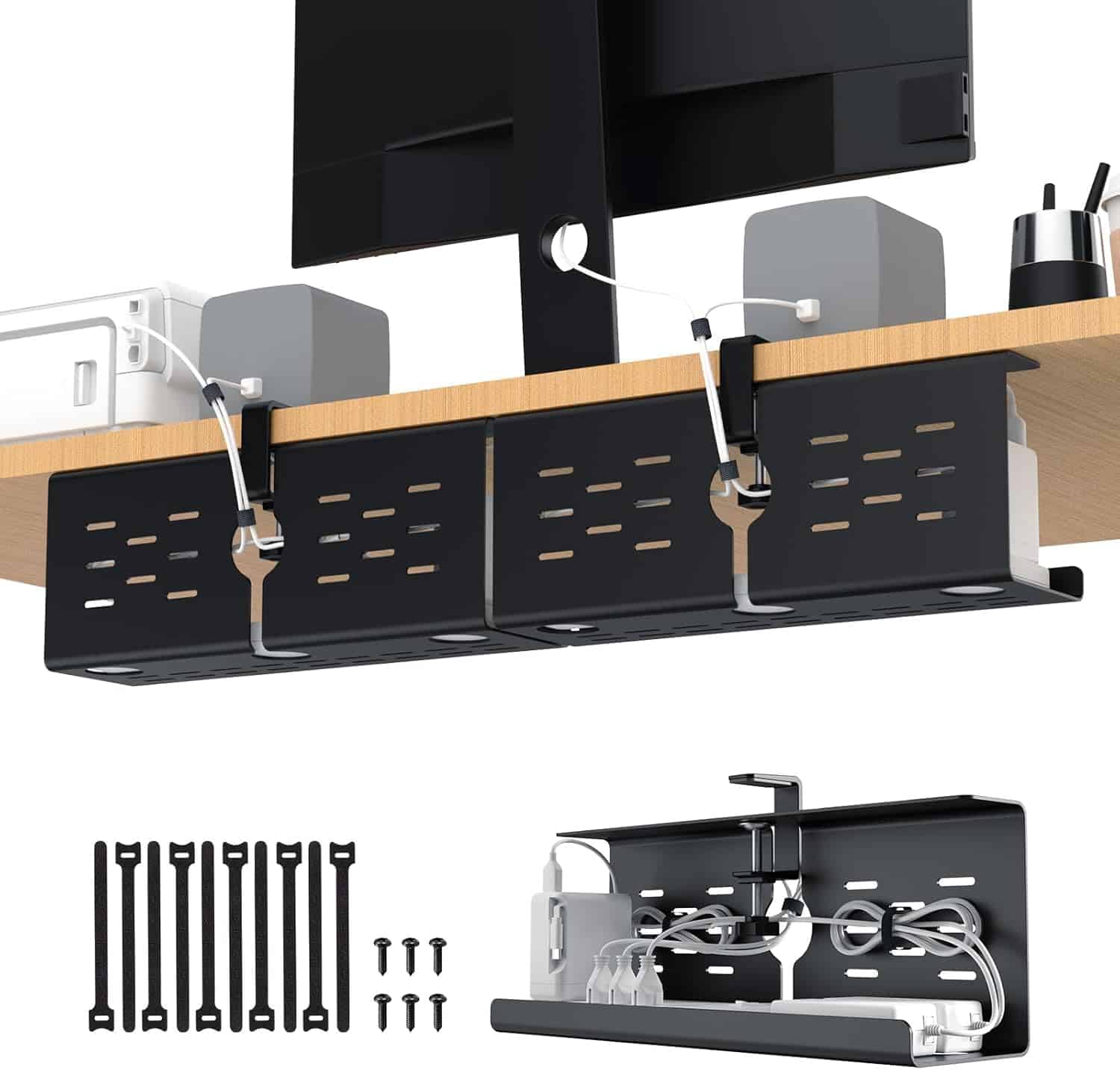
2. Yecaye Under-Desk Cable Management Tray (2-Pack) — Best for Standing Desks
What it is: A set of two 16-inch steel cable trays with a clamp-on mounting system — no drilling required. The clamps grip the edge of your desk, making these perfect for standing desks or any situation where you don’t want to put screws into your desktop.
If you own a standing desk, this is the desk cable organizer you want. The no-drill clamps mean your desk height adjusts freely without cables tugging or catching.
Pros:
- ✅ No-drill clamp installation (fully renter-friendly)
- ✅ Two trays included — great for large setups or L-shaped desks
- ✅ Sturdy steel mesh holds heavy power strips and adapters
- ✅ Easy to reposition if you rearrange your setup
Cons:
- ❌ Clamps require a desk edge thickness of 0.4″–1.6″ — measure first
- ❌ Slightly more visible from the front compared to screw-mount trays
- ❌ Doesn’t work on desks with a back panel or lip that blocks clamping
Best for: Standing desk owners and renters who can’t drill.
Price range: $37.49

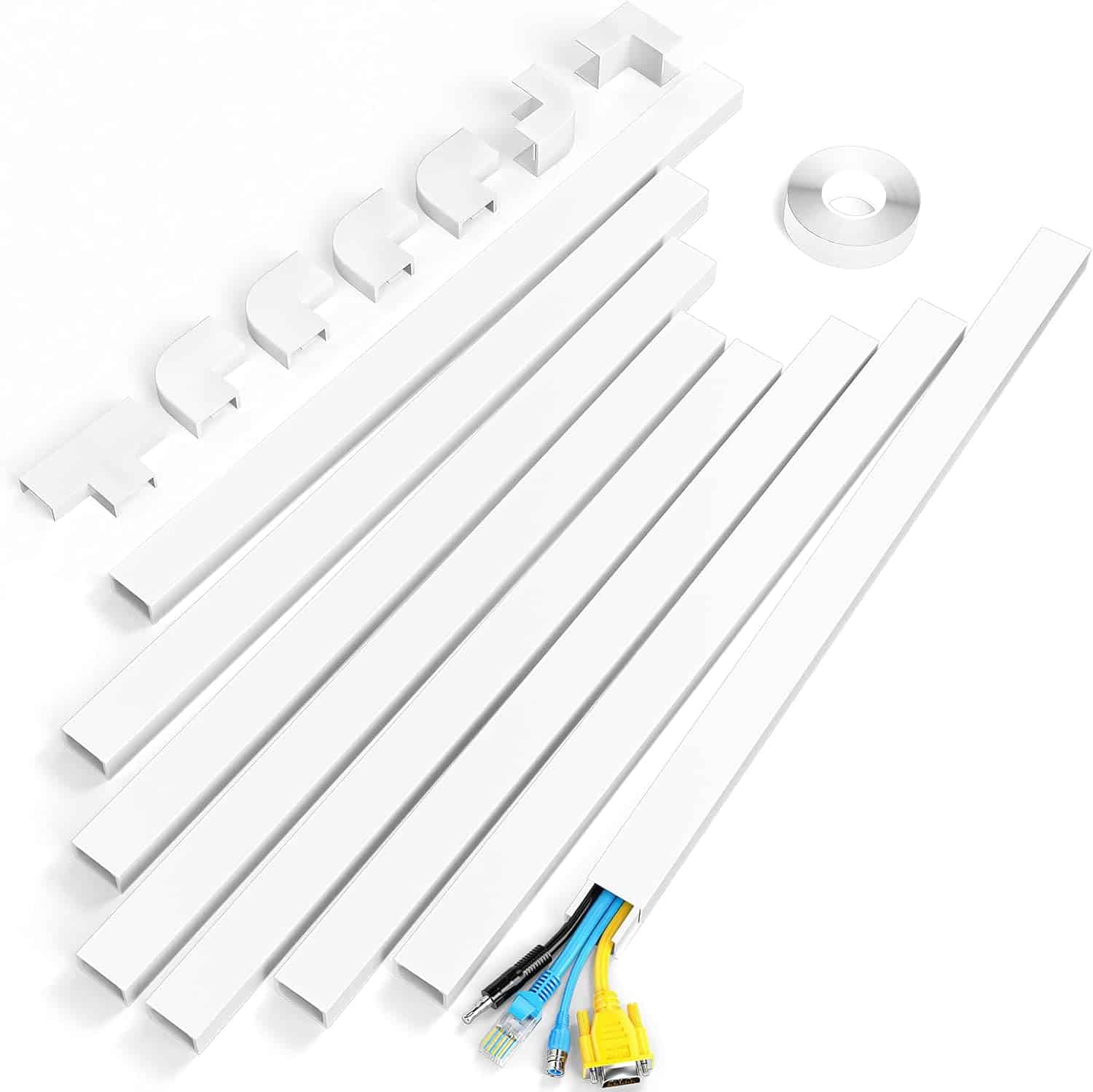
3. J Channel Cable Raceway (6-Pack) — Best for Wall-to-Desk Routing
What it is: Rigid plastic channels with a snap-on cover that stick to surfaces with adhesive backing. Each piece is about 16 inches long, and you get six in a pack. They’re designed to route cables neatly along walls, desk legs, or the underside of your desk.
J channels are the unsung hero of cable management. They’re what you use when cables need to travel from point A to point B in a straight, hidden line — like running a monitor cable from your desk down the wall to an outlet.
Pros:
- ✅ Self-adhesive backing (no tools needed)
- ✅ Snap-on covers make adding/removing cables easy
- ✅ Paintable — match them to your wall or desk color
- ✅ Six pieces give you nearly 8 feet of total coverage
- ✅ Extremely clean, almost invisible look when painted to match
Cons:
- ❌ Adhesive can struggle on textured walls (use mounting tape as backup)
- ❌ Each channel holds 2–3 cables max — not great for thick bundles
- ❌ Rigid design means they don’t curve around corners well
Best for: Routing cables along walls and desk legs for a truly hidden setup. Great complement to an under desk cable tray.
Price range: $19.97
4. Yecaye 134-Piece Cable Management Kit — Best All-in-One Kit
What it is: A massive cable management kit that includes cable clips, cable ties, self-adhesive cable tie mounts, cord organizer clips, and cable sleeves — basically everything you’d ever need in one box.
If you’re starting from zero and want to tackle your entire setup in one afternoon, this kit is absurdly good value. You get 134 pieces for around $16, which is less than what most people spend buying individual packs of each item.
Pros:
- ✅ Includes virtually every cable management accessory you’d need
- ✅ Cable clips, ties, mounts, and sleeves all in one purchase
- ✅ High quantity means you’ll have extras for future projects
- ✅ Everything is black, which works with most setups
Cons:
- ❌ Quality is “good enough” — individual premium products are sturdier
- ❌ Adhesive on some clips is average (supplement with 3M VHB tape for best results)
- ❌ Doesn’t include a cable tray (you’ll still want one for under-desk bulk)
Best for: First-time cable managers who want one purchase that covers everything. Pair it with a cable tray for the ultimate combo.
Price range: $19.99
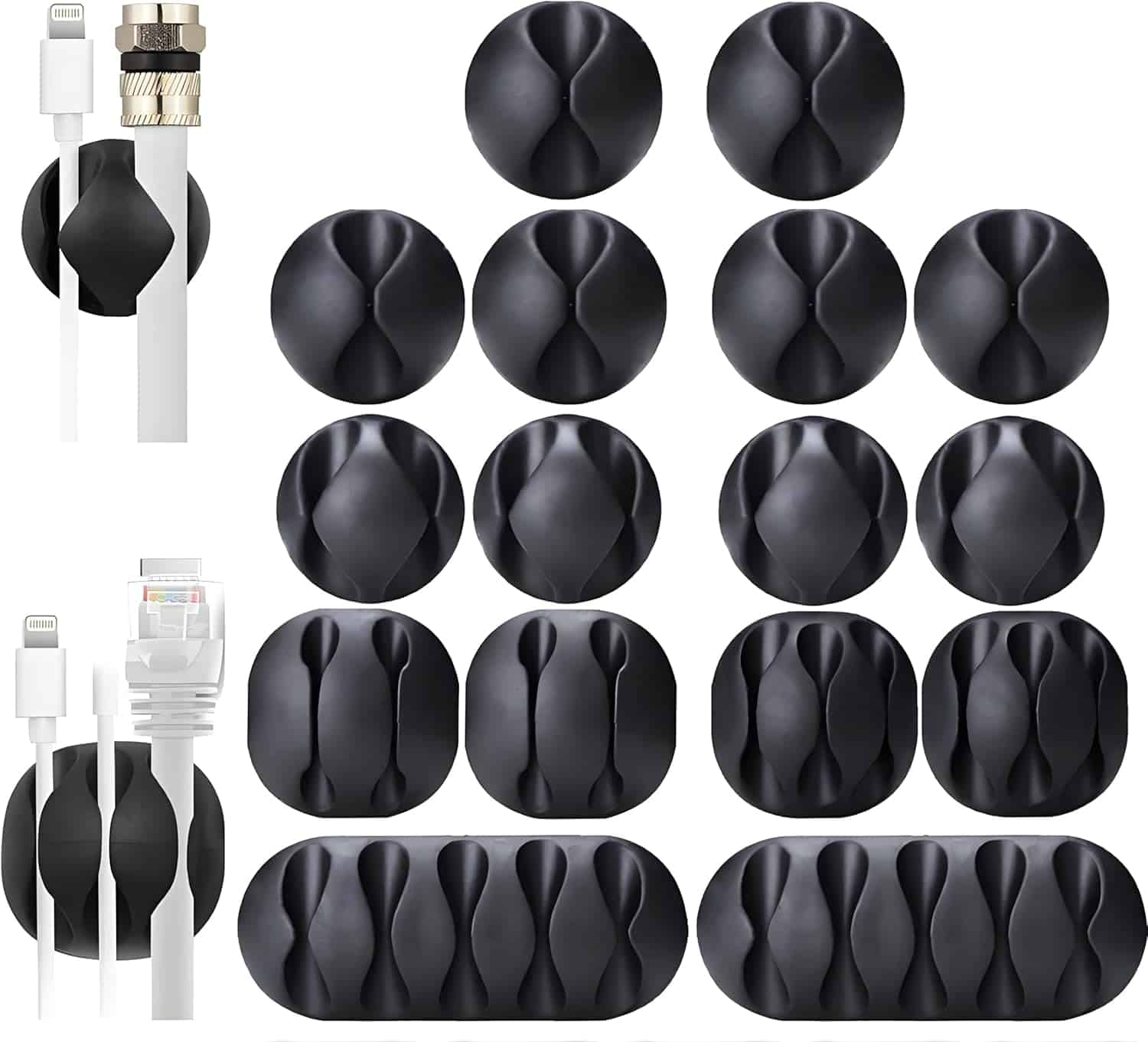
5. OHill Adhesive Cable Clips (16-Pack) — Best Budget & Renter-Friendly Option
What it is: Simple, small adhesive-backed clips that stick to any smooth surface. Each clip holds one cable securely with a satisfying snap-in design. You get 16 clips for under $9.
These are the kind of product where you wonder why you didn’t buy them years ago. Stick a few under your desk edge, a few on your desk legs, and suddenly your cables are routed exactly where you want them.
Pros:
- ✅ Dead simple — peel, stick, clip
- ✅ Holds individual cables firmly (great for USB, charging cables, audio)
- ✅ Low-profile and nearly invisible once installed
- ✅ Removable without major surface damage
- ✅ Incredibly affordable
Cons:
- ❌ One cable per clip (need lots for multi-cable runs)
- ❌ Adhesive can weaken on dusty or oily surfaces (clean with alcohol first)
- ❌ Won’t hold thick power cables or cable bundles
Best for: Quick fixes, desk edges, and anyone who wants to hide cables under desk without committing to a full system. Perfect for renters.
Price range: $7.96

6. Alex Tech Cable Sleeves (4-Pack) — Best for Bundling Long Runs
What it is: Split-tube neoprene sleeves that wrap around cable bundles. Each sleeve is about 20 inches long with a Velcro closure that runs the entire length, so you can open them up and add or remove cables without disassembling anything.
Cable sleeves are what take your setup from “organized” to “whoa, that’s clean.” They bundle 4–8 cables into a single, neat tube that looks intentional rather than chaotic.
Pros:
- ✅ Full-length Velcro split means easy access to individual cables
- ✅ Neoprene material is flexible and won’t kink or crack
- ✅ Four sleeves (80″ total) covers most desk setups completely
- ✅ Gives a professional, finished look
- ✅ Can be trimmed to custom lengths
Cons:
- ❌ Adds bulk — the sleeve itself has diameter, so plan tray space accordingly
- ❌ Black neoprene shows dust (quick wipe fixes this)
- ❌ Not ideal for cables that you frequently plug/unplug
Best for: Bundling the cable run from your desk down to a power strip, or grouping monitor cables together. A great finishing touch after installing your desk cable organizer tray.
Price range: $22.99
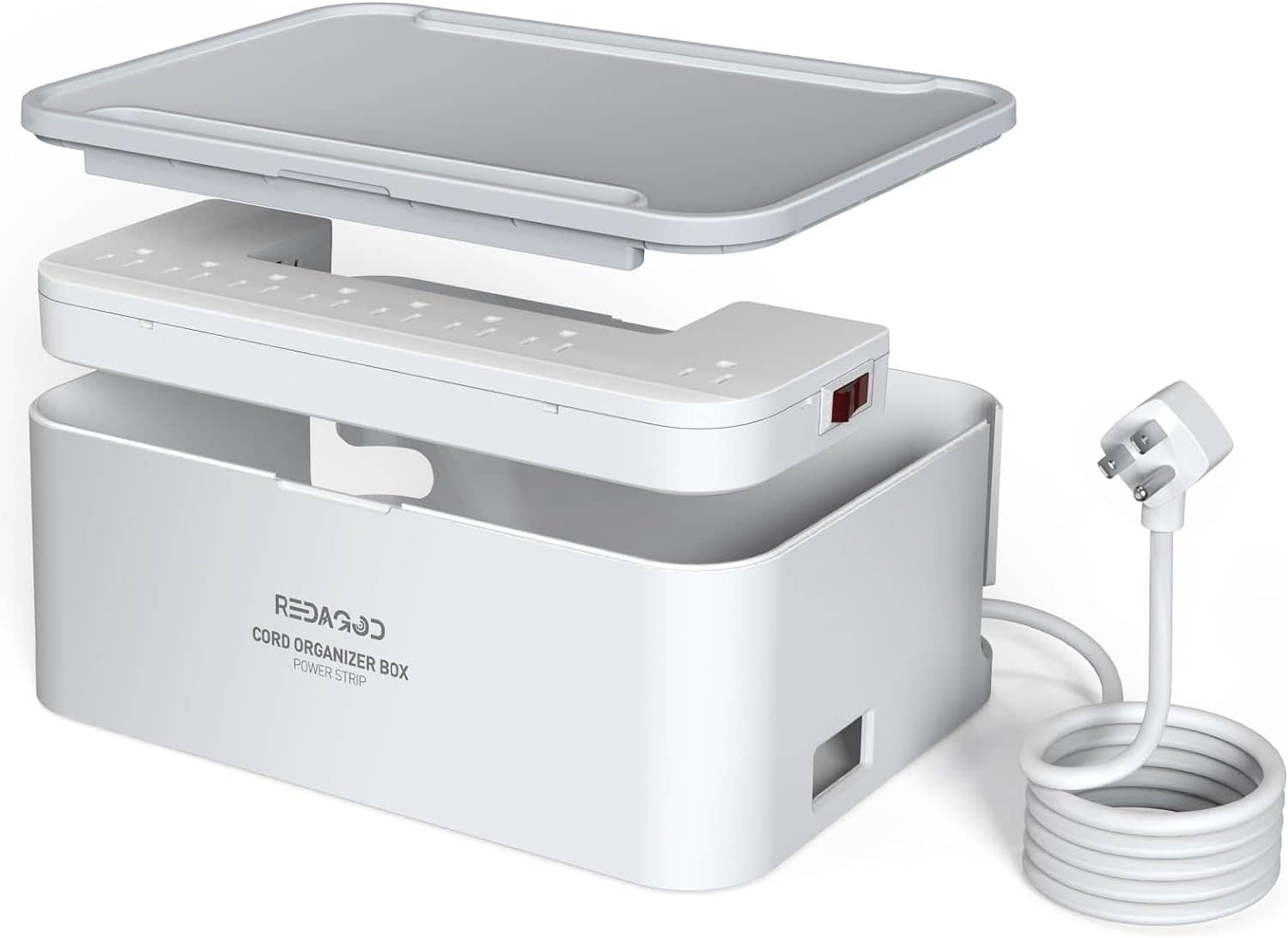
7. SimpleCord Cable Management Box — Best for Hiding Power Strips
What it is: A sleek rectangular box with ventilation slots that completely covers your power strip and the mess of plugs coming out of it. The lid lifts off for access, and cable openings on each end let cords exit cleanly.
Power strips are the worst offenders in desk cable chaos. You’ve got five or six chunky adapters plugged in at weird angles, and it looks terrible. The SimpleCord box makes all of that disappear.
Pros:
- ✅ Completely hides the ugliest part of your cable setup
- ✅ Ventilation slots prevent overheating
- ✅ Available in white, black, and wood-tone finishes
- ✅ Large size fits most standard power strips and surge protectors
- ✅ No installation — just place it on the floor or mount it
Cons:
- ❌ Doesn’t organize the cables inside the box (it’s a hider, not an organizer)
- ❌ Premium price compared to DIY solutions
- ❌ Large adapters (like laptop chargers) can make the lid fit tight
Best for: Anyone who wants to hide cables under desk — specifically the power strip area. Works great on the floor next to or behind your desk.
Price range: $34.99
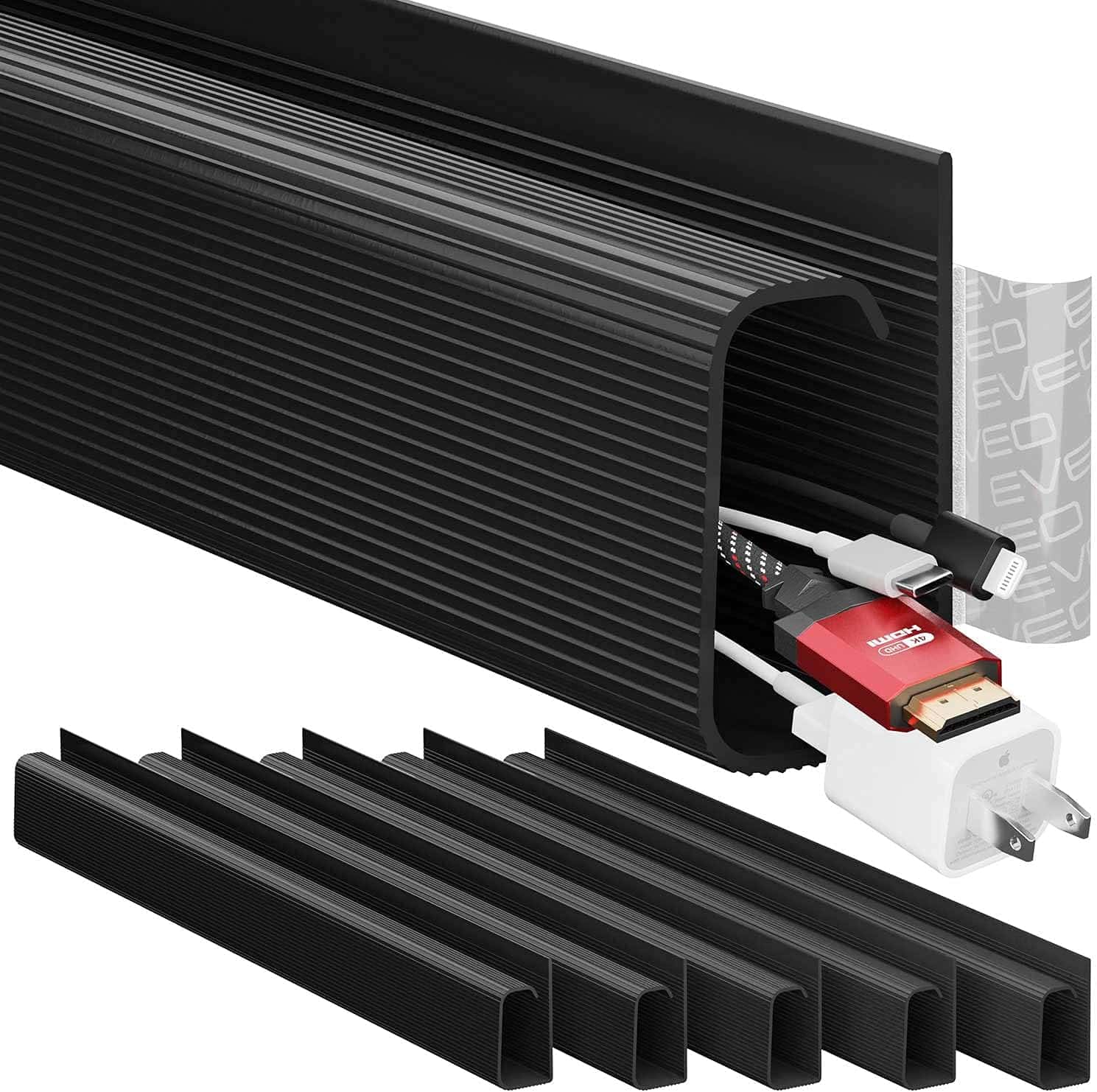
8. EVEO Cable Management Kit — Best Budget Starter Kit
What it is: A streamlined cable management kit with 30+ pieces including cable clips, cable sleeves, Velcro ties, and a small cable tray. It’s positioned as an all-in-one starter set for people who don’t need 134 pieces but want more than just clips.
Pros:
- ✅ Includes a small cable tray (adhesive mount) — unusual for kits at this price
- ✅ Curated selection means less waste than mega-kits
- ✅ Velcro ties are reusable and high quality
- ✅ Good entry point for cable management beginners
Cons:
- ❌ Smaller cable tray won’t hold a power strip
- ❌ Fewer total pieces than the Yecaye kit
- ❌ Adhesive tray mount isn’t as secure as screw-mount options
Best for: Budget-conscious buyers who want a taste of everything without committing to individual premium products.
Price range: $16.97
Best Under-Desk Cable Management: Buyer’s Guide
Not sure which products are right for you? Here’s what to consider before buying.
Desk Type Matters
Your desk construction determines what will work:
- Standard wood desk: Anything goes. Screw-mount trays, adhesive clips, clamp-ons — pick your favorite.
- Standing / sit-stand desk: Prioritize clamp-on trays (like the Yecaye) and cable sleeves. You need slack in your cables for height adjustment, and rigid raceways won’t flex.
- Glass desk: Avoid screw-mount anything. Use adhesive clips, cable sleeves, and floor-based cable boxes.
- IKEA or thin desktops: Check thickness before buying clamp-on trays. Most need at least 0.4 inches.
How Many Cables Do You Have?
Count your cables before buying:
- 3–5 cables (simple setup): Adhesive clips + a cable sleeve will do the job.
- 6–10 cables (typical workstation): A cable tray + clips + sleeve combo is ideal.
- 10+ cables (multi-monitor, studio, streaming): Go with two cable trays, a full cable management kit, and a cable box for your power strip.
Permanent vs. Renter-Friendly
If you can’t drill or modify your desk:
- Best options: Clamp-on trays, adhesive clips, cable sleeves, cable boxes
- Avoid: Screw-mount trays, permanent raceways with strong adhesive
- Pro tip: 3M Command strips can supplement weak adhesive without damaging surfaces
Budget
Here’s what to expect at different price points:
- Under $10: Clips or sleeves — one category, done well
- $10–$20: A solid cable tray OR a full cable management kit
- $20–$40: Tray + kit combo that handles everything
- $40+: Premium options or multiple trays for large/L-shaped desks
How to Cable Manage Your Desk: Step-by-Step
Ready to tackle the mess? Here’s a straightforward process that works regardless of which products you choose.
Step 1: Unplug Everything
Yes, everything. Pull it all out and start fresh. This is also a great time to clean under your desk — you’ll be shocked at the dust bunnies.
Step 2: Map Your Cables
Lay out every cable and identify:
– What device does it connect?
– Where does it need to go (desk to wall, desk to PC, desk to floor)?
– Is it permanent or something you frequently unplug?
Step 3: Install Your Cable Tray
Mount your under desk cable tray first — this is the backbone of your system. Position it toward the back of your desk so it’s hidden from view. If you’re using a power strip, place it inside or on top of the tray.
Step 4: Route Cables to the Tray
Run each cable from its device to the tray. Use adhesive clips along the underside of your desk to guide cables in the right direction and prevent drooping.
Step 5: Bundle with Sleeves or Velcro Ties
Group cables that travel the same path into sleeves or secure them with Velcro ties. Avoid zip ties for bundles you might change — Velcro is reusable and won’t require cutting.
Step 6: Handle the “Last Mile”
The cable run from your tray down to the floor outlet is often the messiest part. Use a cable sleeve or J channel raceway to keep this section clean. A cable management box at the floor hides the power strip connection point.
Step 7: Test and Adjust
Plug everything back in. Sit at your desk. Stand up (if you have a sit-stand desk and adjust through its full range). Make sure nothing pulls, kinks, or gets caught. Adjust clip and tray positions as needed.
Frequently Asked Questions About Under-Desk Cable Management
What is the best way to hide cables under a desk?
The most effective approach combines an under desk cable tray (to hold the bulk of your cables and power strip) with adhesive clips (to route individual cables) and a cable sleeve (to bundle runs from desk to floor). This three-layer approach handles 95% of setups.
Do cable management trays work with standing desks?
Yes, but choose a clamp-on style (not screw-mount) so the tray moves with your desk. You’ll also want cable sleeves with extra slack between the desk and floor outlet so cables can extend when the desk rises.
How do I manage cables without drilling into my desk?
Use clamp-on cable trays, adhesive-backed clips, Velcro ties, cable sleeves, and cable boxes. These are all renter-friendly and leave no permanent marks. For extra holding power on adhesive products, clean the surface with isopropyl alcohol before applying.
Are cable management kits worth it?
Absolutely — especially if you’re starting from scratch. A cable management kit like the Yecaye 134-piece set costs less than buying clips, ties, and sleeves separately, and you’ll have extras for future desk changes or other rooms.
How often should I redo my cable management?
Whenever you add or remove a device, do a quick tidy. A full reorganization is usually only needed once a year or when you significantly change your setup. Good initial cable management with reusable Velcro ties (instead of zip ties) makes future adjustments much easier.
Final Thoughts: The Best Under-Desk Cable Management Is the One You’ll Actually Do
Here’s the truth: the best under desk cable management solution is the one that matches your setup, your budget, and your willingness to spend 30 minutes installing it. You don’t need to buy everything on this list.
For most people, here’s what we’d recommend:
- Best single purchase: VIVO Under-Desk Cable Tray (~$20) — handles the majority of the mess on its own.
- Best combo for a complete setup: Yecaye cable tray + Yecaye 134-piece cable management kit (~$57 total) — covers trays, clips, ties, and sleeves.
- Best for renters: Yecaye clamp-on tray + OHill adhesive clips + SimpleCord cable box — zero drilling, zero damage.
Your desk setup deserves to look as good below as it does on top. Spend a Saturday afternoon, put on a podcast, and get those cables sorted. You’ll wonder why you didn’t do it sooner.
This article contains product recommendations based on our research and the desk setup community’s favorites. Prices are approximate and reflect typical online retail pricing. We update this guide periodically to keep recommendations current.